
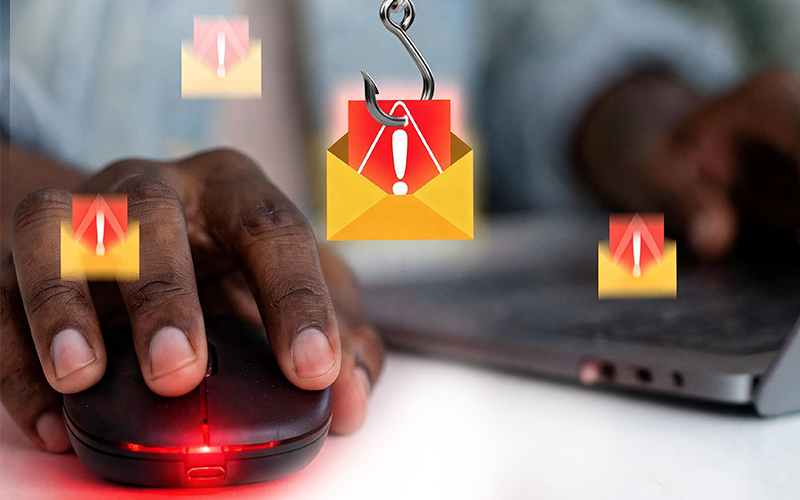
Phishing attacks on businesses are becoming a serious cybersecurity concern, as cybercriminals use increasingly convincing emails to deceive employees, steal sensitive information, and gain access to company systems.
Imagine your finance officer receiving an urgent payment request from what appears to be your company’s managing director. The name is familiar, the message sounds convincing, and the instruction seems perfectly reasonable.
However, the email is fraudulent.
What appeared to be an ordinary business communication has now become a potential financial and security incident.
This is how phishing attacks work. Instead of always attempting to break through sophisticated security systems, cybercriminals often target the people who use them.
For organisations that depend on email communication, digital platforms, and interconnected systems, one careless click can create consequences that extend far beyond an employee’s inbox.
So, how do phishing attacks on businesses happen? More importantly, what warning signs should employees recognise, and what can organisations do to protect themselves?
Let’s take a closer look.
What Are Phishing Attacks on Businesses, and Why Do They Happen?
Phishing is a type of cyberattack in which criminals impersonate trusted individuals, companies, or organisations to trick people into revealing confidential information, clicking malicious links, downloading harmful attachments, or authorising fraudulent transactions.
The objective is to make a fraudulent request appear legitimate.
Cybercriminals understand that employees regularly communicate with customers, suppliers, colleagues, service providers, and management. By taking advantage of these everyday interactions, attackers can make their messages blend into normal business activities.
Phishing attacks on businesses are particularly concerning because a compromised employee account may expose information or systems beyond that individual’s immediate responsibilities.
An attacker who gains access to a business email account, for example, may use it to target other employees, impersonate the account owner, or obtain information that supports further attacks.
This is why phishing is not simply an email problem. It is a cybersecurity and business risk.
5 Common Types of Phishing Attacks on Businesses
Not every phishing email looks suspicious. While some are poorly written and easy to identify, others are carefully designed to resemble genuine business communication.
Here are five common tactics organisations should understand.
1. Executive Impersonation
Imagine receiving an email that appears to come from your CEO or finance director, requesting an urgent payment or confidential document.
The message may sound authoritative and insist that the request must be handled immediately.
This is executive impersonation, a tactic often associated with business email compromise (BEC).
In this type of attack, criminals impersonate senior executives to pressure employees into making payments, sharing sensitive information, or bypassing normal approval procedures.
How to protect your business: Establish clear payment verification procedures. For example, employees should independently confirm unusual financial requests through a trusted communication channel, even when the sender appears familiar.
2. Fake Invoices and Supplier Payment Requests
Finance teams are attractive targets because they routinely process invoices, supplier payments, and financial documents.
An attacker may impersonate a legitimate supplier and request payment into a different bank account. In many cases, the message looks like a routine update to an existing business transaction.
Consequently, employees may process the request without questioning its authenticity.
How to protect your business: Independently verify changes to supplier payment details. Additionally, introduce appropriate approval controls and ensure employees know how to report suspicious invoices.
3. Fake Login Pages and Password Requests
An employee receives an email claiming that their company account needs immediate verification.
After clicking the link, they arrive at a page that looks like their regular login portal and enter their credentials.
Unfortunately, the information is submitted directly to an attacker.
Once obtained, stolen credentials can provide access to business email accounts, cloud platforms, internal applications, and other connected services.
How to protect your business: Encourage employees to navigate directly to official websites rather than relying on unexpected login links. Furthermore, implement multi-factor authentication (MFA) and appropriate identity and access controls.
4. Malicious Email Attachments
A message arrives with what appears to be a routine business document, delivery notification, report, or invoice.
Although the attachment may look harmless, opening it could expose the employee or organisation to malicious software, depending on the file and existing security controls.
Once a device is compromised, attackers may attempt to access information, disrupt operations, or move further into the organisation’s digital environment.
How to protect your business: Use appropriate email and endpoint protection. At the same time, maintain software updates and train employees to treat unexpected attachments with caution, even when the sender appears familiar.
5. Highly Personalised Phishing Messages
Not every phishing email is generic.
Some attackers research their targets before sending messages. They may reference an employee’s job role, business activities, suppliers, colleagues, or ongoing projects to make their communication more believable.
As a result, identifying phishing attacks on businesses based only on spelling mistakes, suspicious formatting, or unfamiliar sender names becomes increasingly difficult.
How to protect your business: Build employee awareness around suspicious requests, not just suspicious-looking emails. Most importantly, encourage verification whenever a message requests sensitive information, financial action, or unusual access.
7 Warning Signs of Phishing Attacks Every Business Should Recognise
Recognising suspicious communication early can prevent employees from unknowingly exposing business information or systems.
Here are seven warning signs to look out for:
- Unusual urgency: The message pressures the recipient to act immediately or face serious consequences.
- Suspicious sender details: The display name looks familiar, but the actual email address or domain is slightly different.
- Unexpected links: The message encourages the recipient to click a link to verify an account, download a file, or make a payment.
- Unusual financial requests: A supplier or senior executive suddenly requests a change in payment details or an urgent transfer.
- Unexpected attachments: The email contains files the recipient was not expecting.
- Requests for sensitive information: The sender asks for passwords, verification codes, financial details, or confidential business information.
- Requests that bypass normal procedures: The message asks employees to ignore established approval or verification processes.
One important thing to remember is that phishing emails do not always contain obvious mistakes. Some are professionally written, properly branded, and personalised.
When something feels unusual, verify it before taking action.
How Phishing Attacks on Businesses Can Affect Your Organisation
The consequences of phishing can extend far beyond one compromised email account.
Depending on what the attacker obtains and the security controls in place, a successful attack may lead to several problems.
- Financial losses: Fraudulent payment instructions can result in money being transferred to criminal-controlled accounts.
- Unauthorised account access: Attackers may gain access to business email accounts, cloud platforms, or other internal systems.
- Data exposure: Customer records, employee information, and confidential company documents may be accessed or stolen.
- Business disruption: Compromised systems can affect daily operations, delay service delivery, and interrupt important business activities.
- Reputational damage: Customers and business partners may lose confidence if their information is exposed.
- Further cyberattacks: A compromised account may be used to target other employees, suppliers, or customers.
Ultimately, the impact of phishing attacks on businesses depends on the nature of the incident, how quickly it is detected, and how effectively the organisation responds.
For this reason, businesses should not wait until an attack occurs before taking cybersecurity seriously.
6 Ways to Protect Your Business From Phishing Attacks
Telling employees to be careful is important. However, awareness alone is not enough.
Preventing phishing attacks on businesses requires a coordinated approach that combines people, processes, and technology. Here are six practical measures organisations should prioritise.
1. Invest in Regular Employee Security Awareness Training
Employees should understand how phishing works, how to identify suspicious communication, and what to do when they encounter it.
Rather than relying on a once-a-year presentation, businesses should make security awareness an ongoing activity.
Where appropriate, organisations can also use authorised phishing simulations to assess employee awareness and identify areas where additional training may be necessary.
2. Strengthen Email Security
Email security solutions can help detect and filter suspicious messages, malicious links, impersonation attempts, and harmful attachments.
Nevertheless, no single solution can guarantee that every phishing email will be blocked.
Therefore, email protection should form part of a broader cybersecurity strategy that includes monitoring, access controls, and incident response.
3. Implement Multi-Factor Authentication
Multi-factor authentication adds another verification step when users sign in.
As a result, it can make it harder for attackers to access an account using only a stolen password.
Businesses should prioritise MFA for email accounts, cloud platforms, remote access, and other critical services.
4. Establish Clear Verification Procedures
Employees should know exactly how to verify unusual requests, especially those involving payments, confidential information, account access, or changes to supplier details.
For example, a request to change supplier bank details should always be confirmed through an independently verified contact.
A simple rule can prevent significant losses: never rely solely on the contact details or links provided in a suspicious message.
5. Maintain Effective Endpoint Protection
Business devices should have appropriate security controls to help detect and respond to malicious activity.
In addition, endpoint protection, regular software updates, and appropriate access restrictions can reduce the risks associated with compromised devices.
6. Develop and Test an Incident Response Plan
What should an employee do after clicking a suspicious link or sharing their login details?
There should be no uncertainty.
Employees need a clear reporting process, while IT and security teams should understand how to investigate incidents, secure affected accounts, contain threats, and support recovery.
Most importantly, the response plan should be tested before an actual incident occurs. A timely and coordinated response can help limit the impact of an attack.
Is Your Business Doing Enough to Prevent Phishing Attacks?
Consider this scenario.
A convincing phishing email reaches an employee in your organisation today.
Would they recognise it? Would your security systems detect it? More importantly, would your team know exactly what to do if the employee clicked the link or shared their login details?
If you cannot confidently answer these questions, your organisation may have security gaps that deserve attention.
Many businesses focus on protecting their systems without fully considering how employees interact with those systems every day. Similarly, others invest in security tools but rarely review whether those tools are configured correctly, monitored effectively, or supported by appropriate response procedures.
The challenge, therefore, is not simply having cybersecurity solutions in place. It is understanding whether they work together to protect the organisation.
A stronger approach begins with understanding your current security position. This involves identifying potential weaknesses, reviewing existing controls, assessing how employees handle suspicious communication, and determining which improvements should take priority.
Strengthen Your Business Cybersecurity With Xown Solutions
Phishing attacks on businesses are a reminder that cybersecurity cannot be treated as an afterthought.
As organisations become increasingly dependent on digital systems, protecting sensitive information, securing business operations, and preparing for emerging threats must become part of everyday business strategy.
At Xown Solutions, we help organisations take a more proactive approach to cybersecurity through security solutions and services designed to help businesses identify risks, strengthen protection, and improve their security posture.
Whether your organisation needs to review its existing security arrangements, understand potential vulnerabilities, or explore stronger cybersecurity measures, the first step is understanding where you stand.
Don’t wait for a suspicious email to become a business crisis.
Book a cybersecurity consultation with Xown Solutions to discuss your organisation’s security needs and explore practical ways to strengthen your defences.
BOOK A CYBERSECURITY CONSULTATION
Protect your business. Strengthen your resilience. Stay ahead of evolving threats.
Frequently Asked Questions About Phishing Attacks on Businesses
1. What is the main purpose of a phishing attack?
The main objective is to deceive individuals into revealing sensitive information, clicking malicious links, downloading harmful files, or performing actions that benefit the attacker.
2. Can a phishing email come from someone I know?
Yes. Attackers can impersonate familiar contacts or compromise legitimate email accounts to send fraudulent messages. Always verify unusual requests, even when they appear to come from someone you trust.
3. How can businesses protect employees from phishing?
Businesses should combine regular security awareness training, email protection, multi-factor authentication, clear verification procedures, endpoint security, and an effective incident response plan.
4. What should an employee do after clicking a suspicious link?
They should report it to their IT or security team immediately. If credentials were entered, the organisation should follow its incident response procedures to secure the affected account, investigate potential exposure, and take necessary containment measures.
5. Is employee training enough to prevent phishing attacks?
No. Training helps employees recognise and report suspicious activity, but it should be supported by technical security controls, access management, monitoring, and incident response capabilities.